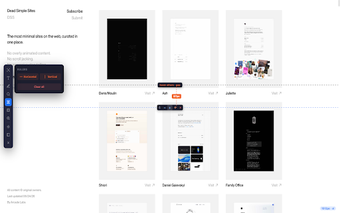
Quick visual inspection tool for Chrome layouts
Argus Inspector by Aman Kumar Singh (brightpixellabs) is a Chrome extension built to provide quick, on-page design inspection for web layouts. It lets users hover over elements to reveal styles, measure spacing, pin measurements, and make live edits directly in the viewport without opening Chrome DevTools. The extension highlights element attributes, supplies on-page distance tools, and keeps a minimalist interface focused on visual clarity. It targets web designers, UI/UX professionals, and front-end developers who need rapid visual verification of layout and CSS issues.
What is this extension used for?
The extension packages a pin-and-measure workflow that concentrates on visual audits of page layouts. Users can keep measurements visible while inspecting other areas, use on-page spacing checks, and experiment with style changes in-place for quick verification of design specifications and troubleshooting of CSS issues. That focused interaction model is meant to reduce the time spent switching between rendered pages and separate inspection panels.
How light is its interface and where does it run?
The extension uses a minimalist interface and installs as a Chrome desktop add-on, presented as a lighter alternative to opening DevTools. It operates independently of Chrome DevTools and is available for Chrome on desktop platforms, including Windows, macOS, Linux, and ChromeOS. Because it overlays inspection controls on the page itself, it aims to keep simple checks within the viewport instead of requiring a separate developer panel.
Does the extension collect user data?
The developer discloses that the extension does not collect or use any user data, which reduces data-handling concerns compared with tools that require account-based sync. The extension does not advertise cross-device sync, and its inspection happens in the local browser context. For users who prioritize minimal data exposure, that stated policy is a clear factor when evaluating whether to add the tool to a workflow.
Who benefits most compared with DevTools?
The extension suits designers and front-end developers who need speedy visual checks rather than deep debugging, because it concentrates on layout inspection and quick verification. It removes the need to toggle a more complex inspection panel for simple verifications, which helps those focused on layout accuracy. The tool currently serves a niche audience and has a small user base, so teams that depend on broad community support should consider that trade-off.
Final position: targeted utility with a trade-off on community support
The tool is a pragmatic choice for individual designers and front-end practitioners who prefer a compact, task-focused inspection utility. Its limited adoption means fewer community resources and public discussion, so design teams that rely on extensive community documentation or plugin ecosystems should weigh that trade-off before adopting it for collaborative workflows. Practical tip: test the extension on representative pages and compare results with your current inspection routine before integrating it.